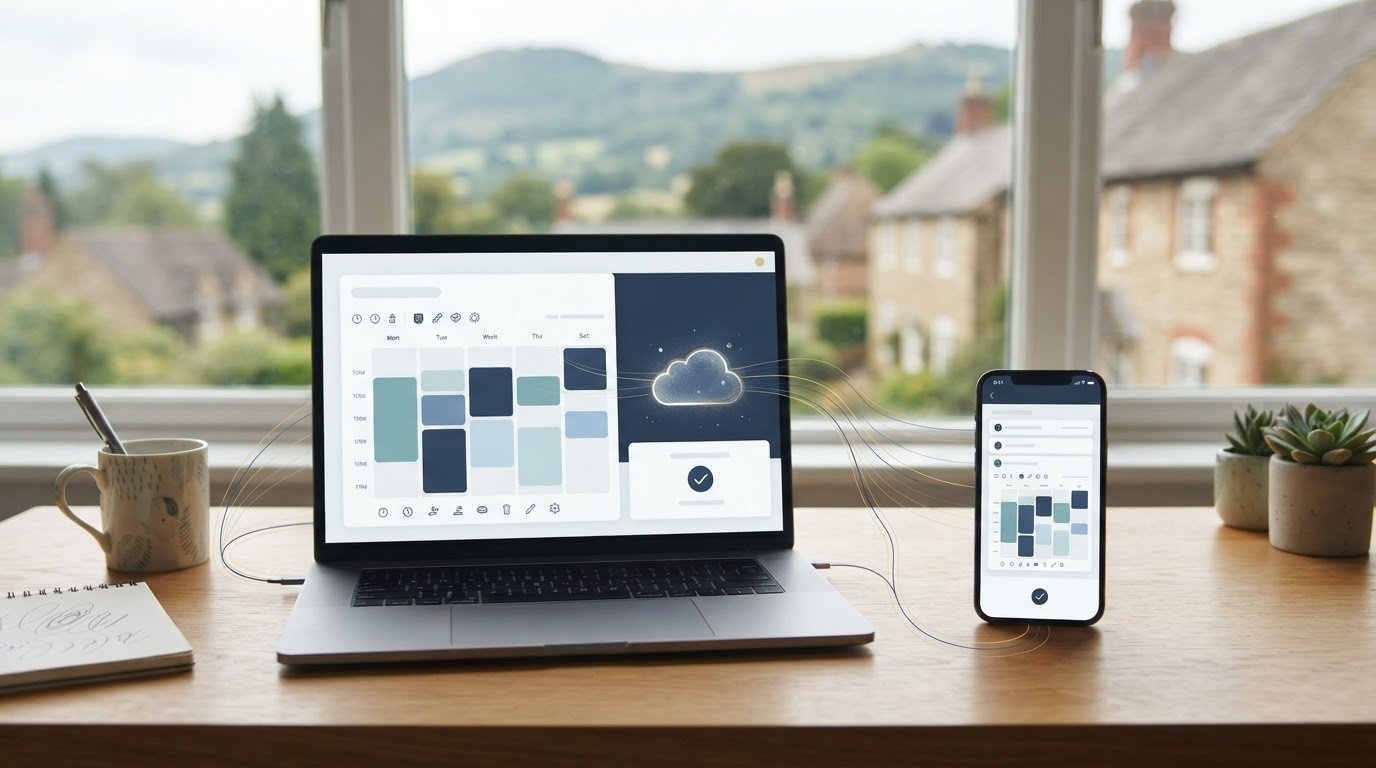
More than 40% of bookings happen outside regular business hours, so a website booking system can capture appointments when your team isn’t at a desk. An online booking system for a UK website lets visitors view available appointments and book directly, while calendar synchronisation helps keep availability aligned and appointment reminders support follow-through.
An online booking system for a website helps customers arrange appointments, sessions or stays without calling your business. The key is connecting that convenience to the way you manage availability. This guide explains how calendar synchronisation and reminders work, what to check before choosing a setup, and how direct bookings can take visitors from selecting a slot to confirming their request.
Key Takeaways
- Map the calendars your team uses and decide how availability and booking changes should stay in step.
- Use appointment reminders to give customers clear booking details and a timely prompt before they attend.
- Make direct booking straightforward by guiding visitors from choosing a service to selecting an available time and confirming.
- Shape your website around your booking journey, with Nexient’s Business Websites as a practical next step when you need a site designed to support it.
Calendar synchronisation
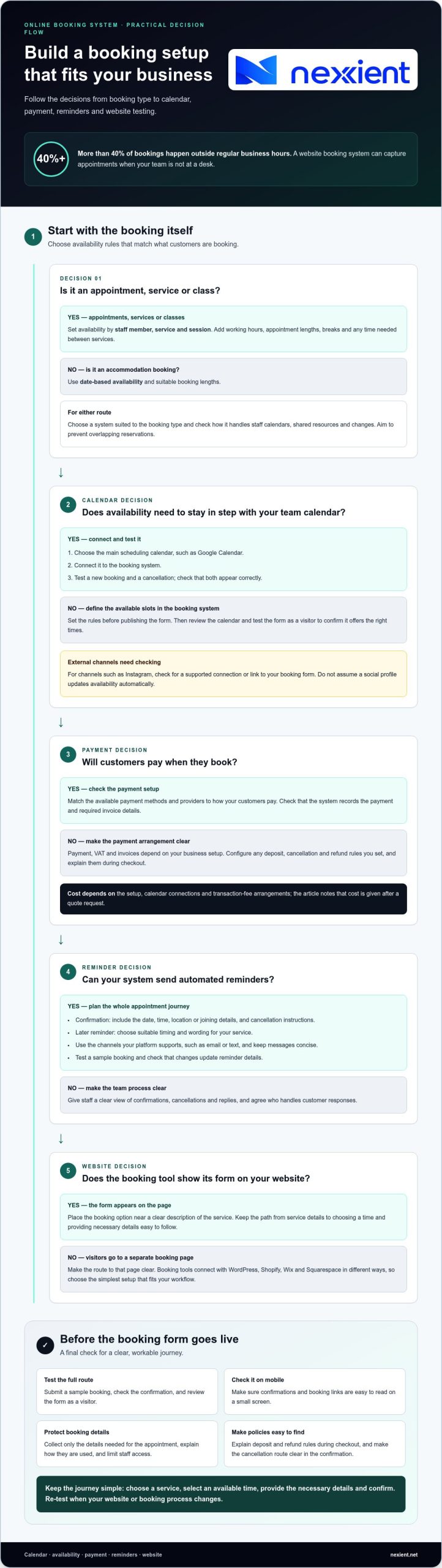
Calendar synchronisation connects appointment availability with the calendars your team uses. Choose the main scheduling calendar, such as Google Calendar, then connect the booking system and test a new booking and cancellation. Check that both appear correctly. External channels, including Instagram, may require a supported connection or a link to your booking form. Don’t assume a social profile updates availability automatically.
For salons, appointments and classes, prioritise availability by staff member, service and session. Accommodation bookings need date-based availability and suitable booking lengths. Choose a system that matches the type of booking and helps prevent overlapping reservations. Before settling on a setup, check how it handles staff calendars, shared resources and changes.
Set availability rules before publishing the booking form. Add working hours, appointment lengths, breaks and any time needed between services. For example, a salon might make selected treatments bookable with particular team members. After changing hours, review the calendar and test the form as a visitor to confirm it offers the right slots.
For UK GDPR and data protection, collect only booking details needed for the appointment, explain their use, and limit staff access. Configure the calendar and scheduling software to support those practices. Payments, VAT and invoices depend on your business setup: choose whether customers pay when booking, and check that the system records the payment and required invoice details. Cost depends on setup, calendar connections and transaction-fee arrangements, and is given after a quote request. Payment methods and providers vary by system, so match the available options to the way your customers pay.
Appointment reminders and no-show prevention
Plan reminders around the whole appointment journey, not just the booking confirmation. A clear confirmation should show the date, time, location or joining details, and cancellation instructions. A later reminder can prompt customers to attend or make changes. Choose suitable timings and wording for your service, then test the full sequence with a sample booking before it goes live.
Automated reminders can reduce manual follow-up when your team is managing a busy schedule. Choose the notification channels your platform supports, such as email or text, and keep messages concise. A hair appointment reminder, for example, might include the service, stylist and rescheduling route. Check that booking changes update the reminder so customers don’t receive outdated details.
Use booking records to support client management. Give staff a clear view of confirmations, cancellations and replies, and agree who handles customer responses. If customers book on mobile devices, check that confirmations and booking links are easy to read on a small screen. Review missed appointments periodically and adjust reminder wording or timing if the same confusion keeps arising.
A booking system can record cancellations, apply the deposit and refund rules you set, and mark appointments as no-shows. Configure each policy before accepting bookings, explain it during checkout and make the cancellation route easy to find in the confirmation.
Keep the process consistent: confirm the appointment, send reminders automatically, and make changes visible to the relevant team members. If your booking records need to connect with wider customer workflows, a tailored web application can bring those processes together.
Website builder and direct bookings
In 2026, the best booking system for a UK website is the one that fits your booking process and website. A suitable online booking system for a UK website should make it straightforward for visitors to book directly.
Website builder for direct bookings
A website builder lets you create pages that explain your services and guide visitors towards booking. Give each service a clear description and place its booking option nearby. A tutor, for example, could show class details beside available sessions and a booking form. Test the journey on a mobile phone, from viewing a service to completing a booking.
Keep the steps clear: choose a service, select a time and provide the necessary details. Explain any deposit or payment requirements before customers finish. A well-planned online booking system for a UK website can also give visitors from social media a clear route to the booking page.
Booking platform integrations
Booking tools connect with WordPress, Shopify, Wix and Squarespace in different ways. A form might appear directly on a page, or a button might take visitors to a separate booking page. The available options depend on the website and booking tool, so choose a method that keeps each step easy to follow.
Test the connection on your website before promoting it. Submit a sample booking and check that customers receive a clear confirmation. If booking details need to pass into another business system, check whether the tools can share that information. Choose the simplest setup that fits your workflow, and review it when your website or booking process changes.
Nexient: Business Websites
Nexient creates Business Websites for organisations that need a professional online presence shaped around their customers’ needs. If you’re planning direct bookings, a well-structured website can make services easy to understand and help visitors find the booking route.
Include the booking journey in your website planning: decide what customers need to see, where they should book and how the site should guide their next step. Nexient also creates eCommerce Websites, Landing Pages and Charity Websites, with formats to suit different organisational goals.
Ready to plan a website that supports your booking journey? Contact Nexient to discuss your project.
Build a booking journey that fits your business
Choosing an online booking system for a UK website is also an opportunity to shape how customers experience your business. Think beyond the form: consider how visitors discover your services, move through the booking process and understand what to do next. A coherent website can make that journey feel natural, whether you need a Business Website, eCommerce Website or Landing Page.
Nexient can help you plan a website around your business goals and customer journey. Bring your priorities, existing site and booking requirements to the conversation, then agree a practical direction for the next stage of your online presence.
Contact Nexient to discuss your booking system and take the next step towards a website that works for your business.
Frequently Asked Questions
What is an online booking system?
An online booking system is a digital tool for managing requests for appointments, sessions or stays. A driving instructor, for example, might use one to offer lesson slots, while a community venue could organise room hire. It brings booking details into a structured process, helping the business see what has been requested and what needs attention.
How can customers make a booking?
Customers usually start on a business website, select a service or event, then submit their details through a booking form. For a pottery class, the form might ask which session they want and how many places they need. A clear confirmation should show customers what they selected and explain what to do if their plans change.
How do I get started?
Start by listing what customers can book, who provides it and any limits that affect availability. Note exceptions too, such as a consultation that needs preparation time or a venue booking that requires approval. Use these details to shape the booking journey, then make a test booking yourself. Check that the information makes sense to both the customer and your team.
What features should I be looking for?
Prioritise features that support your actual process. A class organiser may need to manage places per session, while a consultant may need to distinguish between appointment types. Consider which customer details you need, who should access them and how staff will handle changes. Focus the setup on these tasks rather than choosing features without a clear purpose.
What makes a great booking software?
Good booking software makes the customer’s next step obvious and gives staff a manageable view of incoming requests. Try a realistic scenario, such as changing a session after a customer selects the wrong date. Check whether the process remains clear and the updated information is easy to understand. The right fit supports your daily workflow without adding unnecessary admin.