The price of custom reporting dashboard development depends on the data it needs to connect and the tasks it must support. For a UK project, the cost is scoped individually and provided after a quote request. Connected data sources, refresh frequency, reporting features and data handling all affect the work involved.
It’s easy to focus on the finished dashboard, but a useful report starts with a clear question and the right information to answer it. This guide explains what shapes dashboard costs, which data sources can be combined and how to plan an initial report. A focused scope can turn scattered figures into a practical view that supports better decisions.
Key Takeaways
- Map the systems your report needs to draw on, then consider how often the data must refresh to understand the integration work involved.
- UK GDPR applies to dashboards displaying personal data; according to the Information Commissioner’s Office, compliance adds £2,000-£8,000 to a project depending on data sensitivity.
- Keep your first report focused on one decision, then choose views, filters and widgets that help answer it clearly.
- Turn a reporting need into a practical web solution by matching the dashboard’s purpose to the right website or web application approach.
What data sources can you connect?
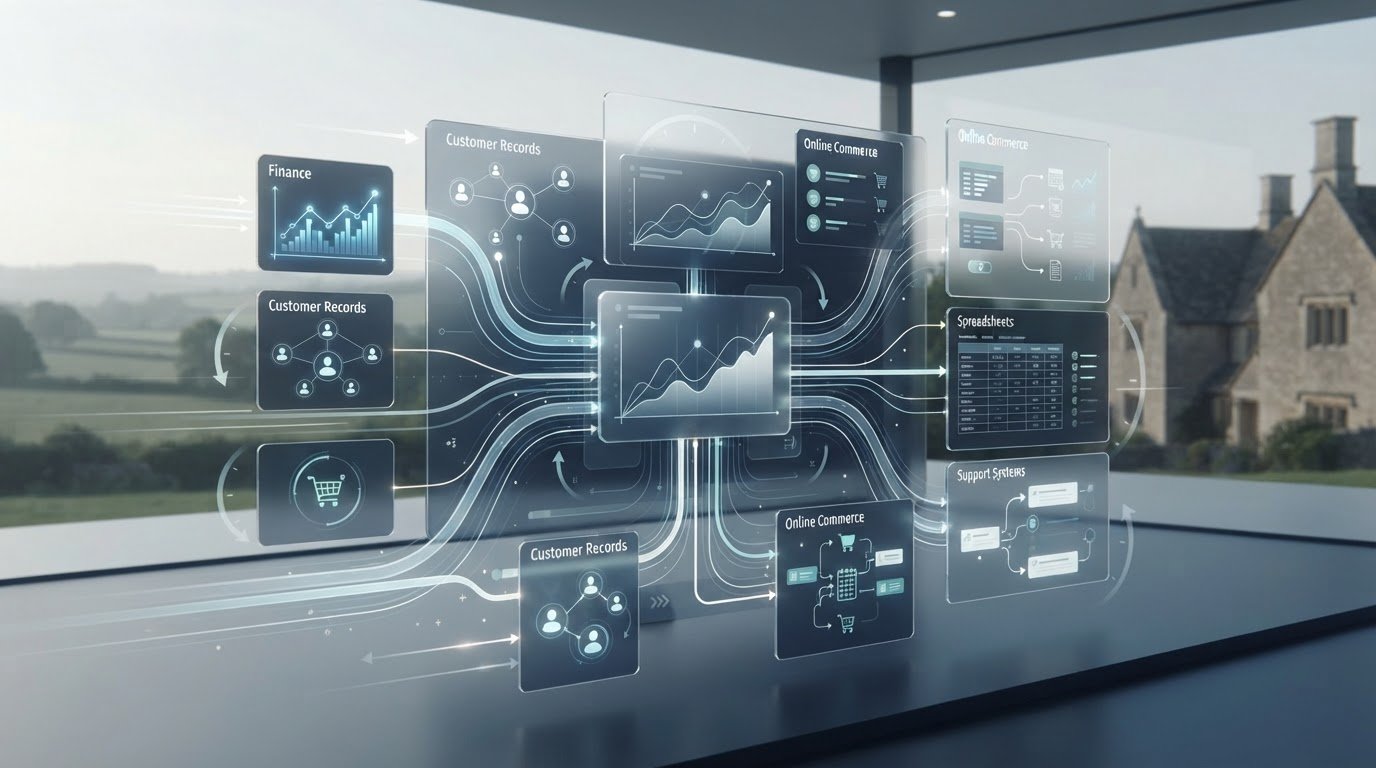
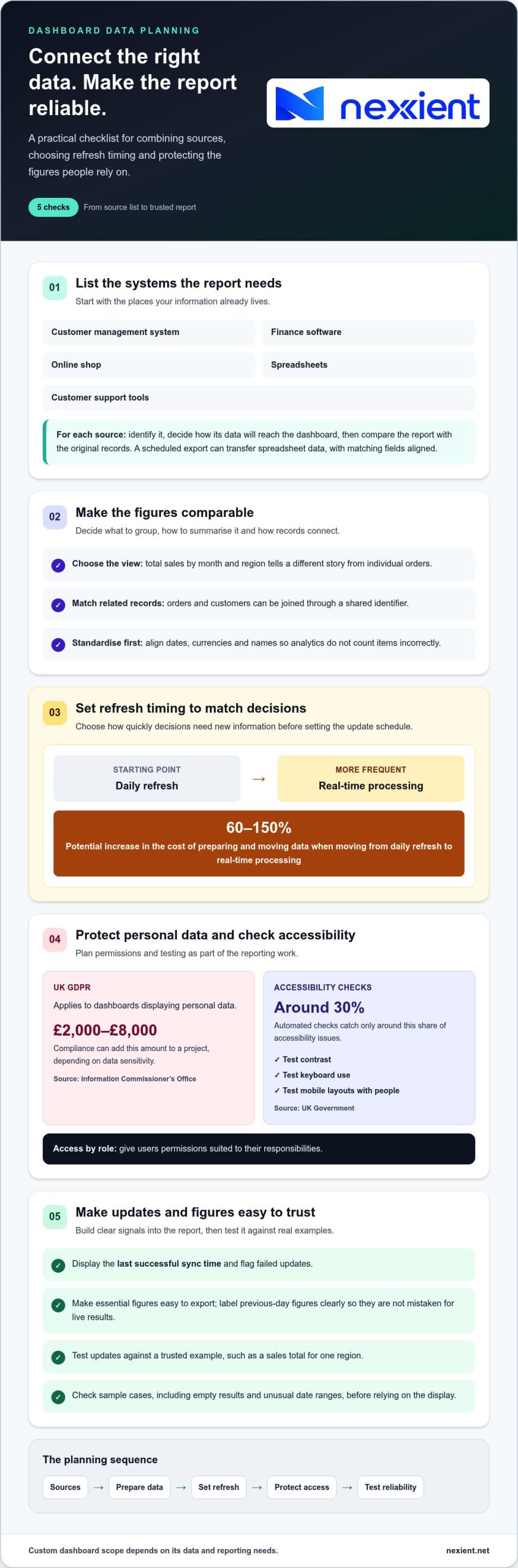
Start by listing the systems the report needs to bring together. Sources might include a customer management system, finance software, an online shop, spreadsheets or customer support tools. Identify each source, decide how its data will reach the dashboard, then compare the results with the original records. For example, a scheduled export can transfer spreadsheet data into a report, with matching fields aligned.
Before combining figures, decide how to group and summarise them. Total sales by month and region tell a different story from individual orders. Joining records means matching related entries, such as orders and customers, through a shared identifier. Standardise dates, currencies and names first, or analytics may count items incorrectly.
Integration scope affects costs. Moving from daily refresh to real-time processing can increase costs for preparing and moving data by 60-150%. Choose refresh timing based on how quickly decisions need new information.
Protect internal and personal data by giving users access suited to their roles. According to the Information Commissioner’s Office, UK GDPR applies to dashboards displaying personal data, and compliance adds £2,000-£8,000 to a project depending on data sensitivity. Automated accessibility checks catch only around 30% of accessibility issues, according to UK Government. Test contrast, keyboard use and mobile layouts with people as well.
Plan for reliable updates, too. Display the last successful sync time, flag failed updates and make it easy to export essential figures. If a finance dashboard shows the previous day’s figures, label them clearly so users don’t mistake them for live results.
How much does a custom dashboard cost?
Dashboard cost depends on scope, not simply the number of charts. A finance view of monthly income needs less custom logic than a sales dashboard combining regional targets, returns and forecasts. The price is scoped individually and provided after a quote request. Key factors include data structure, custom calculations, user permissions and the design of each view.
Customisable views, filters and widgets are useful when they answer distinct questions. A manager, for example, might need a summary chart, while an analyst needs the detailed rows behind the same figures. Filters can narrow dashboard results by date, region or product. Slicers, interactive controls for filtering charts, let users adjust views without changing the underlying report.
Define the report logic before choosing widgets. Specify which database fields to show, how to group rows and whether users can filter by team or period. Test updates against a known example, such as a sales total for one region. Each additional view or calculation can increase development and testing work, so prioritise the decisions the dashboard needs to support.
Common risks include unclear definitions, inconsistent fields and filters that hide relevant records. The pipeline that moves data into the dashboard can also fail or refresh late. Set permissions by role and test sample cases, including empty results and unusual date ranges, before relying on the display.
Measure performance against a baseline: time spent preparing reports, refresh reliability and how quickly users find key figures. Automated reporting is associated with average annual time savings of 468 hours per team, while reported average return on investment is 6.2 times within 18 months. Track whether your own dashboard reduces manual work and supports decisions.
Before requesting a tailored quote, list the required views, filters, calculations and user roles. A focused specification clarifies the scope and helps align development work with the reporting outcome you need.
Building a first custom report
Start by naming the decision, build around the required metrics, then launch with the people who rely on them. This keeps the first report focused on a practical need, such as tracking revenue or monitoring operations.
Planning the dashboard
Planning defines the report’s purpose, audience and measures before development begins. A clear brief helps prevent attractive charts from obscuring the question users need answered.
Choose a decision, such as identifying which product lines drive revenue. Name the report’s users and the metrics they need, then record what each metric means. List where the data lives, such as in a spreadsheet or sales system, and how often users need updates. Also define what the first version won’t do. A concise scope separates essential features from later improvements.
Building and launching reports
Building and launching turns the agreed measures into a tested report users can act on. A staged release can reveal confusing labels or figures before the report becomes part of daily work.
Combine only the fields needed for the chosen decision, then create a simple first view. In Power BI or another reporting tool, compare its totals with a trusted spreadsheet or source record. Check that dates, categories and calculations work as expected. Ask a small group of intended users to complete a real task, such as reviewing sales by product. Clarify any confusing labels, then share the report with appropriate permissions and explain when it updates.
After launch, track whether people use the report and whether it helps them answer the original question. Record feedback and correct mismatched figures before adding more features. If your reporting needs call for a tailored web application, discuss your reporting project and its goals.
Nexient: Business Websites
Nexient can help when your reporting project connects to a need for a stronger business website. If customers need a clear route to your services, a Business Website can present key information and guide them towards taking action. For online sales, an eCommerce Website can support the customer journey from browsing to purchase.
Start by identifying who needs the information and what they should do next. This gives your website a practical role alongside your reporting, whether you’re sharing performance insights internally or helping customers discover your business. Nexient also creates Landing Pages and Charity Websites, each shaped around its purpose.
Planning a website to complement your reporting goals? Contact Nexient to discuss your project.
Turn reporting plans into your next step
A reporting dashboard is most valuable when it supports a clear business decision. Before moving ahead, write down the question you want answered, who needs the insight and what action should follow. This gives the project a practical starting point and keeps development focused on outcomes rather than features for their own sake.
Planning custom reporting dashboard development alongside your wider digital priorities can also help create a more joined-up experience. Nexient builds Business Websites, eCommerce Websites and Landing Pages, giving organisations options for presenting services, products or campaigns online. If you’re considering how reporting fits your plans, contact Nexient to discuss your dashboard. A clear first step can help you shape a useful solution with confidence.
Frequently Asked Questions
Do you provide support after the dashboard is launched?
Nexient provides Website Maintenance for website upkeep. For dashboard support, define responsibilities in the project agreement, including who monitors data connections, manages access changes and approves improvements. Keep operating notes with the dashboard so colleagues can understand its setup if ownership changes. Clear responsibilities also help your team respond when a data source changes or reporting needs evolve.
How long does it take to build a reporting dashboard?
A custom dashboard typically takes 4 to 12 weeks to develop, depending on its data sources and functionality. A single-source operational dashboard typically takes 3-4 weeks, while a multi-source executive dashboard typically takes 4-8 weeks. Agree the measures, user roles and review process early, as changes to scope can affect the work and schedule.
Should the dashboard show live data or a scheduled refresh?
Choose live data when users need to respond to changes as they happen, such as incoming service requests. A scheduled refresh suits reporting on completed periods, such as reviewing the previous day’s orders. Match the update approach to the decision, and show users when the displayed figures were last refreshed.
Which dashboard tool should you choose?
Choose a tool that works with your existing data, fits how people access reports and supports the sharing controls your organisation needs. Power BI and Tableau are examples, but the right fit depends on your reporting requirements and existing systems. Before selecting one, test a representative report, including its charts, exports and access for different roles.
What is custom reporting dashboard development?
Custom reporting dashboard development creates a tailored reporting interface that presents selected business information in a useful format. It can bring relevant measures together in charts, tables or other visual elements. Unlike a fixed report, a custom dashboard is shaped around the questions your team needs to answer and how it uses those insights.